Video analysis for recurrent error correction means systematically recording matches or training, tagging situations where mistakes repeat, and turning those clips into clear, actionable feedback. Even with limited budget, a phone, free tools and simple tagging rules can reveal patterns and guide targeted drills that change behaviour, not just single actions.
Core principles for video-based error correction
- Focus on recurring patterns, not isolated mistakes.
- Use simple, shared definitions of each error type.
- Prioritise clarity of clips over production quality.
- Connect every clip to a concrete training intervention.
- Review in short, regular sessions instead of long marathons.
- Track a few KPIs to validate if corrections are working.
- Adapt your workflow to available resources and staff time.
How video analysis reveals patterns behind recurring mistakes
Video-based error correction is the structured use of match or training footage to detect, classify and reduce errors that appear again and again at team level. The aim is not to find a culprit, but to understand why certain situations systematically go wrong and what behaviours must change.
Unlike traditional post‑game talks based on memory, a sistema de análisis de rendimiento deportivo con video shows exactly where spacing, tempo, decision-making or communication break down. You can freeze, rewind and compare similar situations from different matches to see common triggers and contextual factors.
For example, when searching for the mejor programa de videoanálisis para fútbol, the key is not only the feature list but how easily it lets you jump between all corners conceded from crosses, all turnovers under high press or all missed switches of play. Pattern visibility is more important than cosmetic graphics.
In resource-constrained environments, a basic workflow with a smartphone, tripod and free editor still uncovers patterns. The trade-off is more manual work: you may not have full-fledged software de videoanálisis deportivo para equipos, but you can still cut and group similar mistakes, then show them in short, focused team meetings.
Choosing footage, clipping criteria and building an error taxonomy
The mechanics of using video for error correction can be broken down into a repeatable process.
-
Define the question you want to answer.
- Examples: Why do we concede from set pieces?, Why do we lose the ball in build‑up?, Why does our press break?
- Avoid generic «let’s review everything». Be specific from the start.
-
Select the right footage window.
- Prioritise recent competitive matches; add key training games if they mirror the same issues.
- If storage is limited, keep only full matches where the target problem clearly appeared.
-
Set clipping criteria.
- Decide what defines the start and end of a clip (e.g. 5 seconds before ball loss, until the action is «resolved»).
- Be consistent so clips are comparable across games and weeks.
-
Build a simple error taxonomy.
- List 5-10 error categories relevant to your model of play: e.g. late press trigger, poor body shape receiving, lost mark on cross.
- Write a one‑sentence definition and a positive alternative for each (what «good» looks like).
-
Assign each clip to at least one error category.
- Tag clips as you cut them. If needed use temporary labels like «unclear» to revisit later.
- Do not overload categories; if one label fits almost everything, refine your taxonomy.
-
Use frequency and context to prioritise.
- Count how many times each error type appears per match or per 10 minutes.
- Note contextual factors: minute, scoreline, opponent type, location on pitch.
-
Close the loop quickly.
- Within 24-48 hours, transform your tagged clips into a short presentation focused on 1-2 main patterns.
- End with no more than three training priorities for the next microcycle.
Low-resource options for footage and clipping
When you do not have access to advanced herramientas de análisis de video para entrenadores, a lean setup still works:
- Record from a fixed high point with a smartphone or cheap camera; keep framing wide enough to see team shape.
- Use free desktop or mobile editors to trim start and end points of each action.
- Store clips in cloud folders named by date and main error category (e.g. 2026‑02‑10_corners_defending).
- Maintain a simple spreadsheet listing clip name, error type, player(s) involved and key notes.
Annotation techniques, tagging conventions and reliable coding protocols
Annotation means attaching structured information to each clip so you can later search, filter and compare. Good tagging turns raw footage into a usable database of errors and solutions.
Scenario 1: Semi-professional football club
A Spanish Tercera RFEF team uses a commercial software de videoanálisis deportivo para equipos. They create buttons for error types (e.g. press broken, lost duel), phases of play and zones. Two coaches code independently, then compare tags to standardise how each error is defined.
Scenario 2: Youth academy with limited staff
An academy without budget for platforms online de videoanálisis táctico shares the workload. One staff member cuts clips; age-group coaches annotate using a shared template: match, minute, phase, error code, root cause, corrective cue. Consistency is more important than software sophistication.
Scenario 3: Amateur team using basic tools
A regional team in Spain uploads matches to a private YouTube or cloud folder. Coaches use timecodes in a Google Sheet as «tags». Columns include: start time, error type, player, short comment. This manual system still allows rapid jumping between similar situations.
Scenario 4: Multi-sport club centralising knowledge
A club with football, futsal and basketball wants shared language. They design a unified error taxonomy: spacing, timing, perception, technique, communication. Each sport adds subcodes (e.g. late help defence in basketball). Tags from different sports feed one knowledge base.
Scenario 5: Remote coach working with individual players
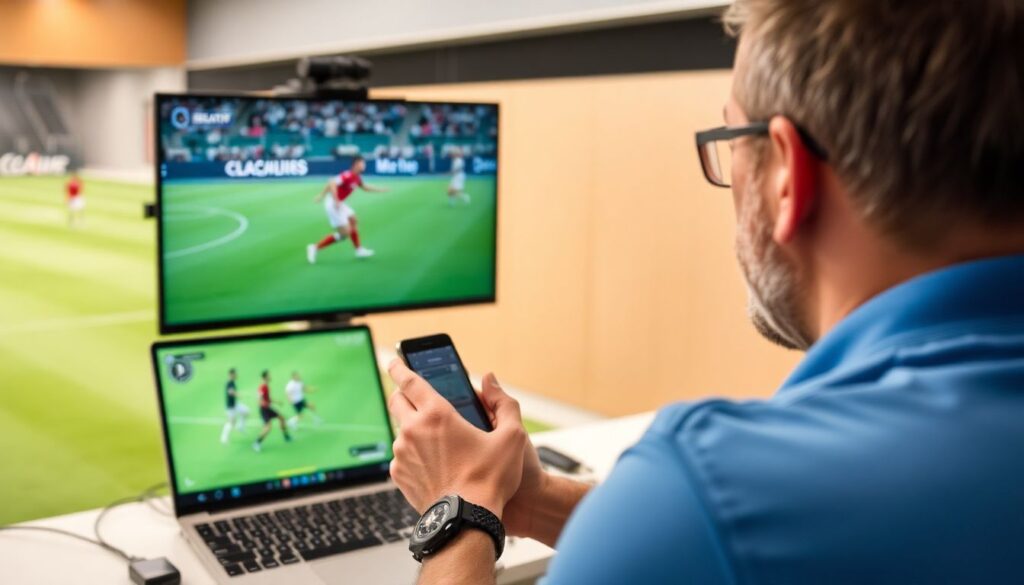
A remote coach asks players to send short clips of recurring errors recorded from TV or streaming. Using low-cost herramientas de análisis de video para entrenadores, they add on-screen drawings and slow motion, then send back short, voice-over explanations and one or two key cues per clip.
To ensure reliable coding regardless of context:
- Write a short codebook: list of tags, definitions, and concrete positive/negative examples.
- Do a test coding session with two coaches; compare results and adjust definitions where disagreement is high.
- Limit tags initially; it is better to tag 5 things consistently than 25 inconsistently.
- Review the codebook monthly and retire tags that do not help decision-making.
| Aspect | Professional video analysis software | Low-resource workflow |
|---|---|---|
| Tagging speed | Fast, live tagging with custom buttons. | Slower; manual timecodes or notes. |
| Search & filtering | Instant filters by tag, player, zone. | Spreadsheet filters or manual search. |
| Sharing with players | Integrated playlists, comments in-app. | Links to folders, shared clips in chat apps. |
| Cost | Subscription-based; higher for whole clubs. | Mostly free; higher time investment instead. |
From footage to fixes: designing targeted corrective interventions
Once patterns are clear, the goal is to translate them into precise interventions that players can understand and execute under pressure. This is where many coaches stop at the «video show» and fail to bridge the gap into design of training tasks.
Advantages of video-based corrective work
- Objective reference: players see the exact situation instead of arguing about memories.
- Pattern visibility: recurring triggers appear clearly when many similar clips are grouped.
- Individual and unit focus: you can isolate decisions of a line or a player while still seeing team context.
- Efficient communication: short, well-chosen clips convey more than long theoretical talks.
- Support for tactical periodisation: tasks can be designed to reproduce the exact match situations where errors occur.
Limitations and risks you must manage
- Overload: too many clips or categories confuse players and dilute key messages.
- Blame culture: focusing on who made the mistake instead of why the structure failed.
- Time cost: manual tagging and clipping can consume staff time if workflows are not optimised.
- Technology dependence: relying on software features instead of coaching clarity.
- Transfer gap: clear video reviews without matching, game-real training tasks.
To avoid these pitfalls, each video review should end with a concrete plan: 1-3 training tasks per pattern, clear coaching points and measurable changes expected over the next matches.
Embedding video-based reviews into regular training and workflows
To change behaviour long term, video analysis must be a routine, not a special event. Integrating it into weekly rhythms helps make corrections stick and keeps the staff workload realistic.
Common implementation errors and myths
- Myth: You need expensive technology to start. In reality, even without plataformas online de videoanálisis táctico, a structured approach with basic tools can deliver strong improvements.
- Error: Reviewing only «big games». Recurring errors often appear versus weaker opponents; analysing only high-profile matches misses many learning opportunities.
- Myth: More angles equal better analysis. One stable, high angle that shows team shape is usually enough; too many angles complicate workflows.
- Error: One long session instead of short regular reviews. Players absorb more from 10-15 minute, topic-focused sessions twice a week than from a single 60‑minute marathon.
- Myth: Video sessions must include the whole team every time. Many corrections are best handled in small units (defensive line, midfield box, front three) or individually via short clips sent to players.
- Error: Ignoring player input. Asking players what they perceived during the action enriches your understanding of decision-making and helps refine interventions.
If you do use a commercial sistema de análisis de rendimiento deportivo con video, set clear routines for upload, tagging, review and sharing so the platform serves the process, not the other way round.
KPIs, dashboards and iterative cycles to validate effectiveness
To know if your corrections are working, track simple, relevant KPIs and compare before and after your interventions. Visualising these in a basic dashboard keeps staff aligned and makes your video work accountable.
Mini-case (football, defensive line in Spain):
- Identify recurring error: multiple goals conceded from crosses to the far post. Staff uses their preferred software de videoanálisis deportivo para equipos to tag all crosses conceded over five matches.
- Establish baseline KPIs: percentage of defended crosses where far-post player is free; number of clearances vs shots conceded from far-post zone per match.
- Design intervention: two weeks of specific defensive line drills reproducing wide 2v1s, with strict cues for far-post scanning, body orientation and communication.
- Monitor in real time: during matches, staff quickly tag each wide cross using herramientas de análisis de video para entrenadores or even a manual tally sheet.
- Build a simple dashboard: use a spreadsheet to plot KPIs by match. Columns: match, crosses conceded, free far-post player, goals from far post, coach notes.
- Review and iterate: if KPIs improve, stabilise current training load; if not, re-check tagged clips for root causes you may have misdiagnosed (e.g. pressure on crosser instead of far-post marking).
Whether you rely on the mejor programa de videoanálisis para fútbol or on very simple tools, this cycle-observe, tag, intervene, measure, adjust-is what turns video into real competitive advantage.
Practical clarifications and quick implementation tips
How many clips should I show in one session?
For team sessions, stay between 8 and 15 short clips focused on one main theme. For individuals or units, 4-8 well-chosen actions are usually enough if each one is clearly connected to a specific corrective cue or training drill.
How do I start if I have only a smartphone and no staff?
Record from the highest, most central point you can access. After each match, choose one problem (e.g. build-up under pressure), cut 5-10 clips directly on your phone, and show them to the group before the next training, followed by a simple positional game targeting that theme.
Should players speak during video sessions or just listen?
Encourage short, focused interventions. Ask questions like «What options did you see here?» or «What cue could help you react earlier?». This builds shared understanding and often reveals perceptual issues your staff cannot see from the sideline.
How often should I run formal video reviews in a typical week?
For most competitive teams, 1-2 structured sessions per week are enough: one team-focused review after the main match and, if possible, a shorter, unit-based or individual review later in the week. Complement this with occasional micro-clips shared via messaging apps.
Do I need different tagging systems for matches and training?
Use the same core error and success categories for both. For training, you can add tags for specific drills or constraints. This makes it easier to see if the situations you design in practice actually appear, and improve, during competitive games.
How do I choose between different video analysis platforms?
Focus on workflow fit: ease of upload from your cameras, speed of tagging, simple sharing with players, and support in your region (e.g. Spain). Run short trials with 2-3 plataformas online de videoanálisis táctico and choose the one that least disrupts your existing routines.
What is the minimum data I should track to see progress?
Pick 2-4 KPIs directly linked to your main recurring errors: for example, balls lost in build-up in your own third, free runners on set pieces, or unpressed shots conceded in the box. Track them per match and review trends every 3-4 games.